VL // TUTORIALS
Tutorials
How to use each plug-in. They are in development, so screens and control names may change.
00BASICS
Getting started
01INSTALL
Installation (planned)
The release version will install with an installer into a “VisualLogic” folder inside Adobe’s shared plug-in folder (MediaCore).
02FIND
Where to find the effects
Under Effect›Visual Logic and in the “Visual Logic” group of the Effects & Presets panel.
03GPU
Using the GPU
In File›Project Settings›Video Rendering and Effects, choose “Mercury GPU Acceleration (CUDA)” or “Mercury GPU Acceleration (OpenCL)” (plug-ins with GPU support only).
01GUIDES
Guides by plug-in

VL/001IN DEVELOPMENT
VL_BGFX
How to use VL_BGFX
- Apply the effect
- Stack systems
- Link to the camera
- Particles from any layer
- Tunnels in a mask shape
VL/002IN DEVELOPMENT
VL_PerlinFX
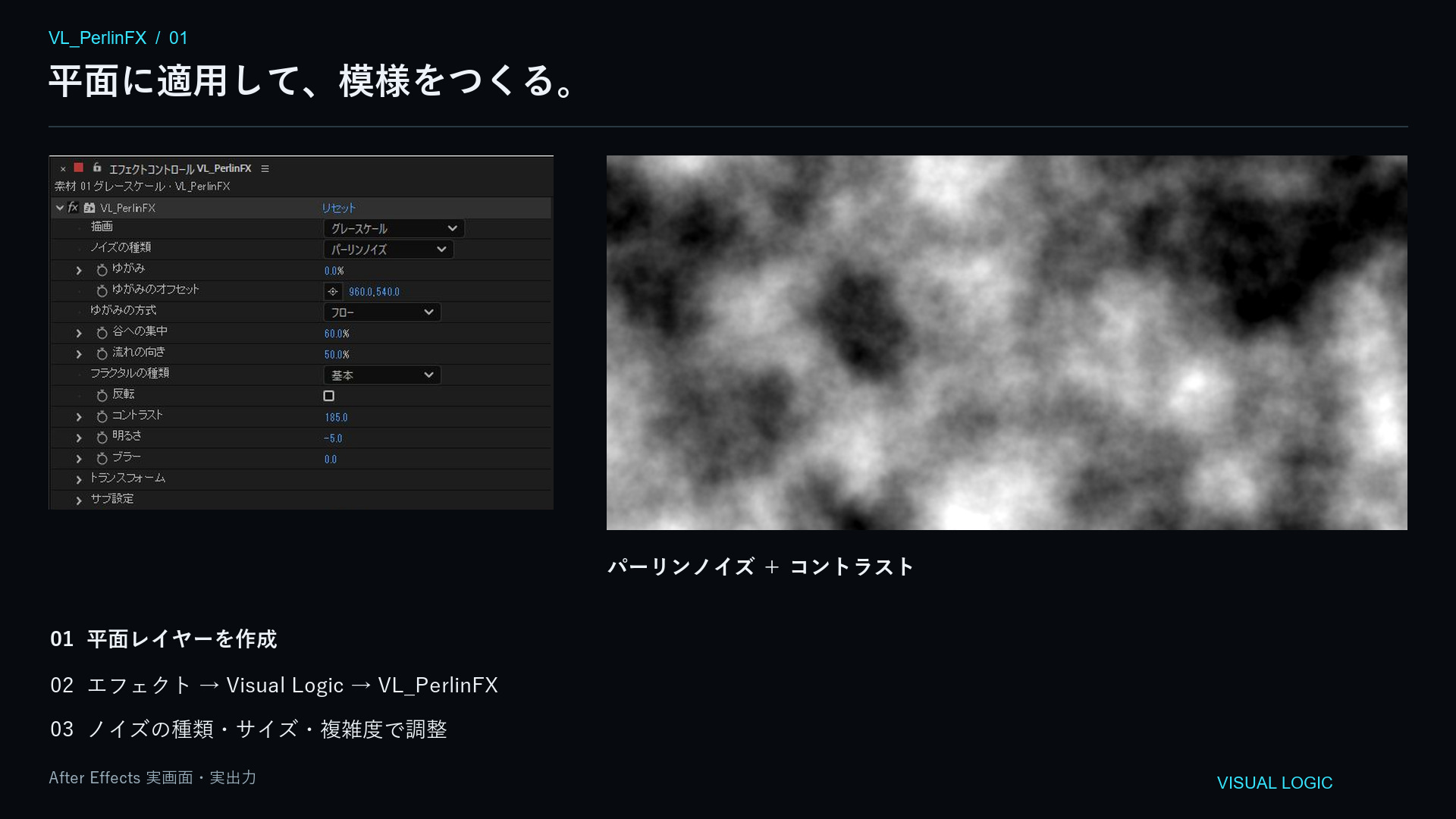
How to use VL_PerlinFX
- Apply the effect
- Make a loop
- Size and Tiling
- Choose a noise type
- Volumetric smoke

VL/003IN DEVELOPMENT
VL_NormalFX
How to use VL_NormalFX (in development)
- Make a normal map
- Recover roundness from shading
- Blend normal maps
- Light your footage
- Use the light sweep

VL/004PROTOTYPE
VL_BloodShotFX
How to use VL_BloodShotFX (prototype)
- Requirements
- Apply and choose a scene
- Adjust the breakup
- Turbulence
- Simulation cache